Designing for Autonomy: The Evolving Role of HMIs in Autonomous Equipment
Key Highlights:
- Autonomous systems are transforming industries, but effective HMI design is essential for safety and usability.
- Modern controls include touchscreens, wireless links and tactile interfaces, requiring careful ergonomic and environmental considerations.
- Advanced sensors and wireless safety systems demand intuitive interfaces to prevent operator frustration and unsafe workarounds.
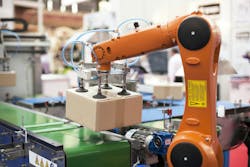
Autonomous systems are moving fast, both literally and figuratively. From job sites filled with earth-moving machines to warehouses filled with AGVs and mobile robots, autonomous operations are taking over tasks that once relied on human precision. But one thing still connects all these systems: people. That’s why human-machine interface (HMI) design has never been more important.
Not long ago, automation mostly meant putting robots on an assembly line. Today, we’re getting requests from customers who want to modernize forklifts, remote-controlled cranes and construction vehicles. Sometimes these are brand-new systems. Other times, they’re legacy machines that need to be brought up to speed.
READ MORE: Standardized HMIs Streamline Custom Automation Equipment
What’s changed is not just the equipment, but how people expect to use it. A vehicle that once ran on levers and knobs might now be controlled with a pendant, a touchscreen or a wireless link to a PLC. That shift brings new expectations, like better ergonomics, clear operator feedback and user-friendly interfaces that still hold up in harsh environments.
Industries like logistics and warehousing are leading the way. They have the infrastructure and the business case to adopt automation quickly. Construction, agriculture and heavy industry are following, though at a slower pace due to regulatory, safety and operational concerns.
Remote Control, Real Challenges
We’ve worked on several projects involving remote-controlled autonomous systems. Some were surprisingly simple. One just needed a pushbutton and an emergency stop. Others were much more involved, combining tactile controls, multifunction displays and enclosures sealed against dust and moisture.
Getting it right starts with asking the right questions. What functions need to be controlled? How will the operator receive feedback? Will they be wearing gloves or dealing with vibration? These practical details may seem small, but they often determine whether the system performs well in the field.
With remote operation, the stakes are higher. A confusing interface can frustrate operators or even put them at risk. That’s not just a design flaw. It’s a safety concern.
More Sensors, More Complexity, Simpler Interfaces
Technologies like LiDAR, radar, GPS, cameras and wireless connectivity are evolving quickly. These tools are helping machines sense and respond to their environment in real time. But even the smartest system still needs a clear, reliable interface that works for the person in control.
Wireless emergency stop systems are becoming more common, especially in mobile or remote applications. These tools must offer the same level of reliability as traditional wired systems. At the same time, they need to be intuitive, fast and easy to use under pressure.
This is where usability becomes critical. If an interface is too complex or poorly designed, operators might avoid using it. That can lead to workarounds or unsafe behavior. And it defeats the purpose of having an advanced system in the first place.
Autonomy is Coming, but Humans Are Still Involved
Fully autonomous operations are closer than ever. Warehouses, in particular, are already seeing mobile robots and AGVs navigate with minimal oversight. But even the most advanced systems still require human supervision. Manual overrides, emergency stops and clear indicators are not optional—they’re essential.
So what’s standing in the way of wider adoption? The technology is advancing quickly, but cultural acceptance and operator training still need to catch up. In many cases, systems fail not because they’re technically flawed, but because users don’t understand or trust them.
READ MORE: Automation a Scalable Solution for Smaller Manufacturers
Better sensors and smarter software will help. But the real progress will come when designers and engineers focus just as much on the user experience. If people can easily understand and control the system, adoption will follow.
Engineers know that complexity only works when it’s manageable. As machines become more capable, we need to keep asking ourselves a simple question: What is it like to be the person behind the controls? Getting that part right may be the most important step in making autonomy work.
About the Author
Randy Myers
HMIS, Senior Project Manager, EAO Corporation, North America
Voice Your Opinion!
To join the conversation, and become an exclusive member of Machine Design, create an account today!
 Leaders Logo
Leaders relevant to this article: